
Designing for High-Risk
User Security
Turning a confusing security feature into something vulnerable users could actually understand and trust, and easy to adopt
THE PROBLEM
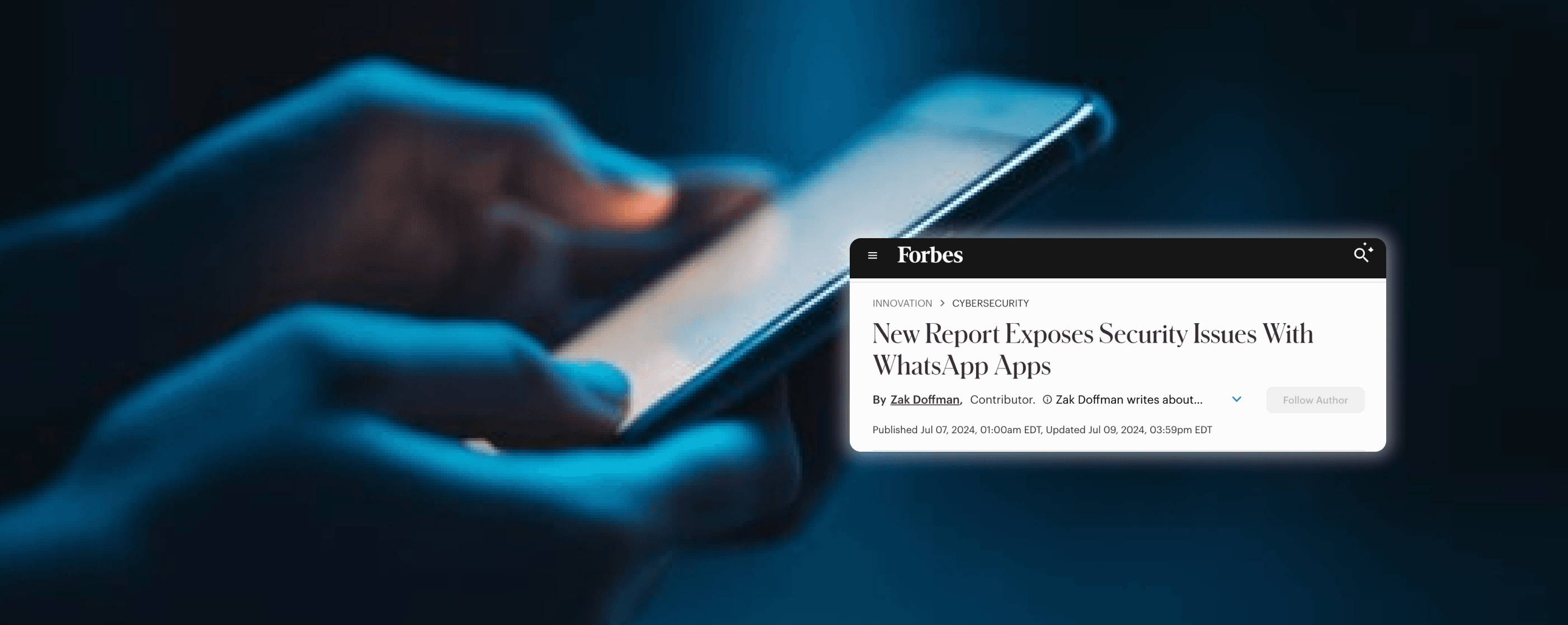
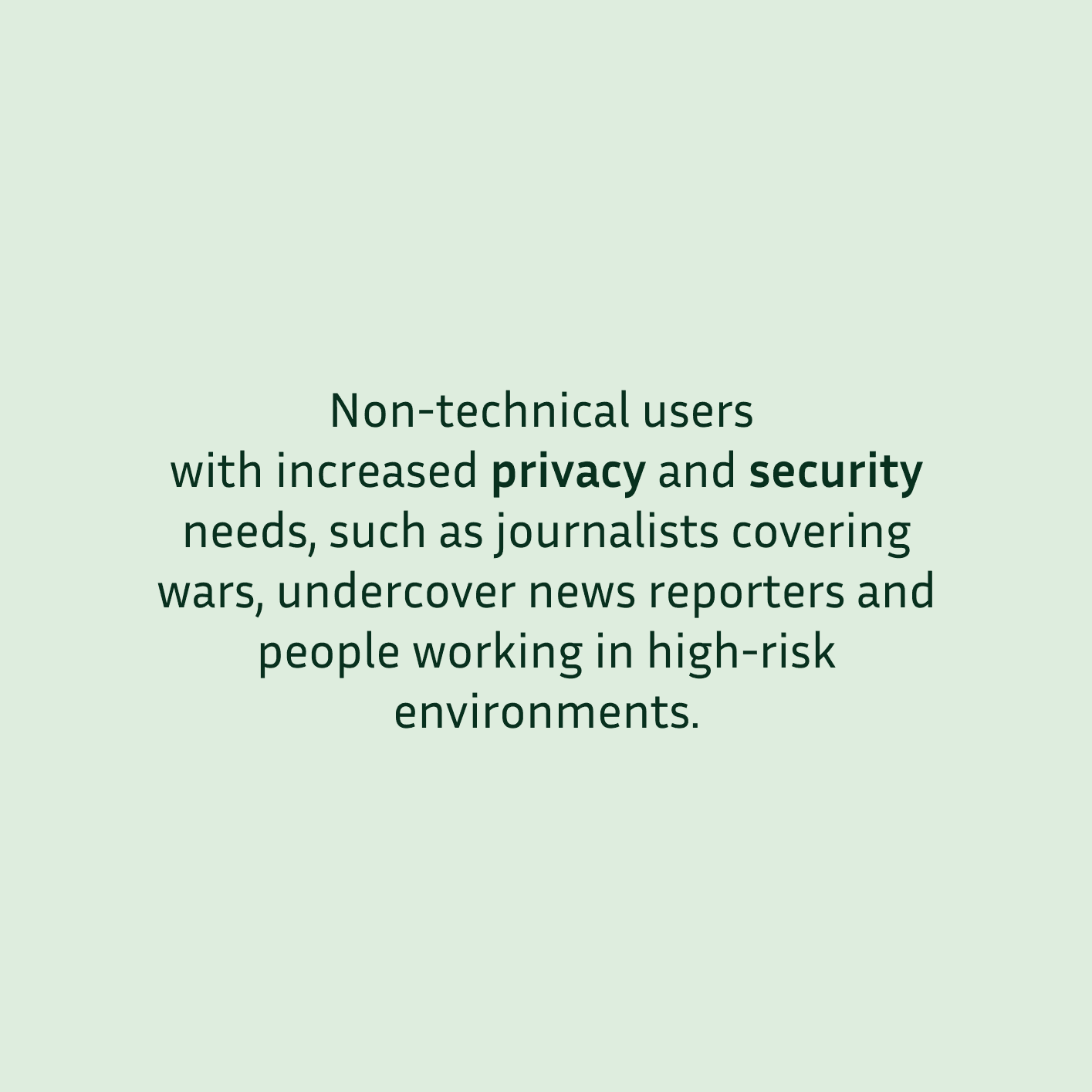
WhatsApp introduced Defense Mode to protect high-risk users from malware and traffic analysis attacks.
However, adoption was low because users didn’t clearly understand what it did, how it worked, or why it mattered.
This confusion put vulnerable users at risk and raised concerns about WhatsApp’s ability to communicate and deliver safety-critical features.

THE SOLUTION
I simplified a complex security feature so users could easily understand it, trust it, and feel confident turning it on.
Leading to a clear experience that helped high-risk users protect themselves without adding confusion or cognitive load.
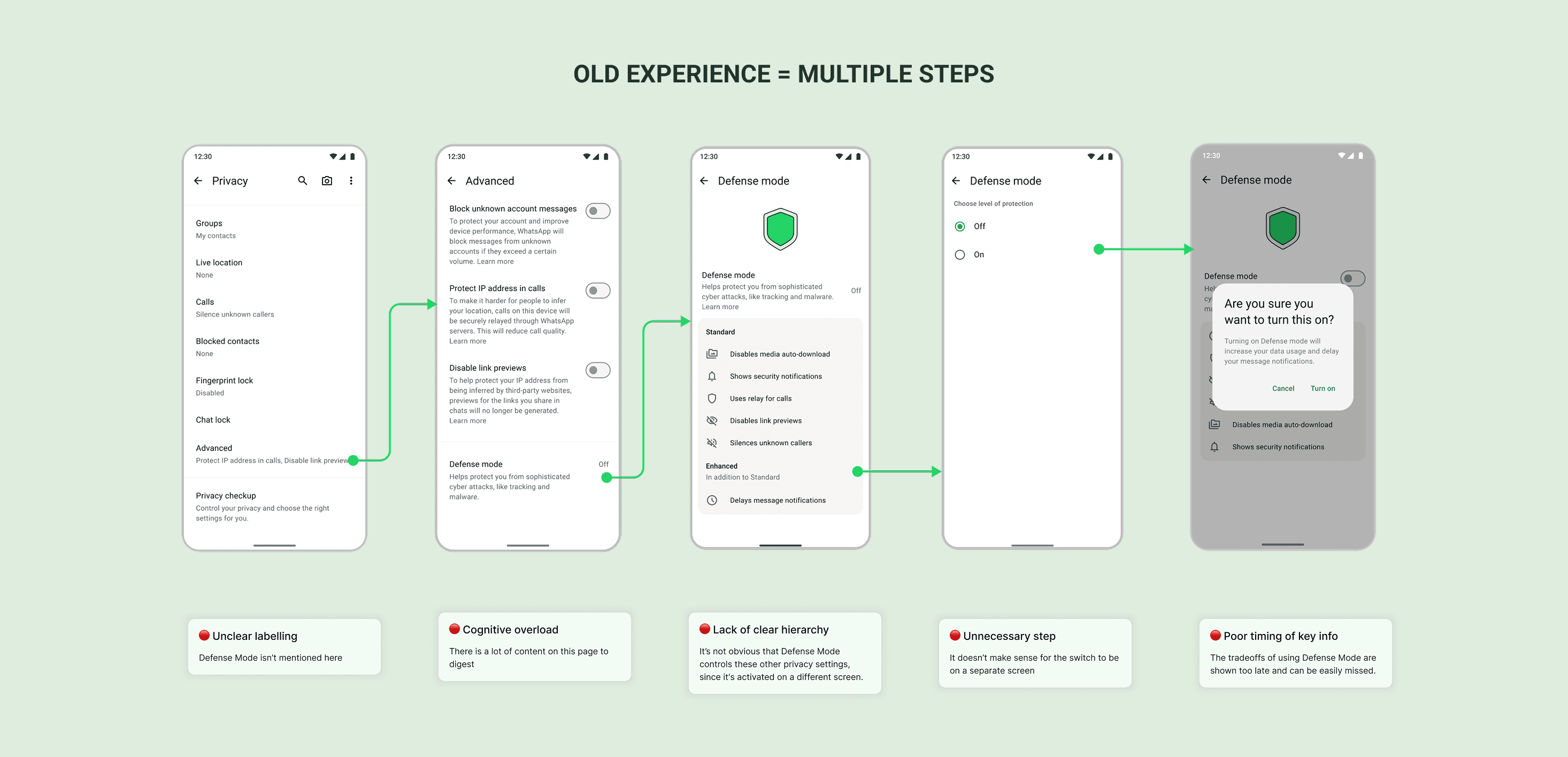
The Old Experience:
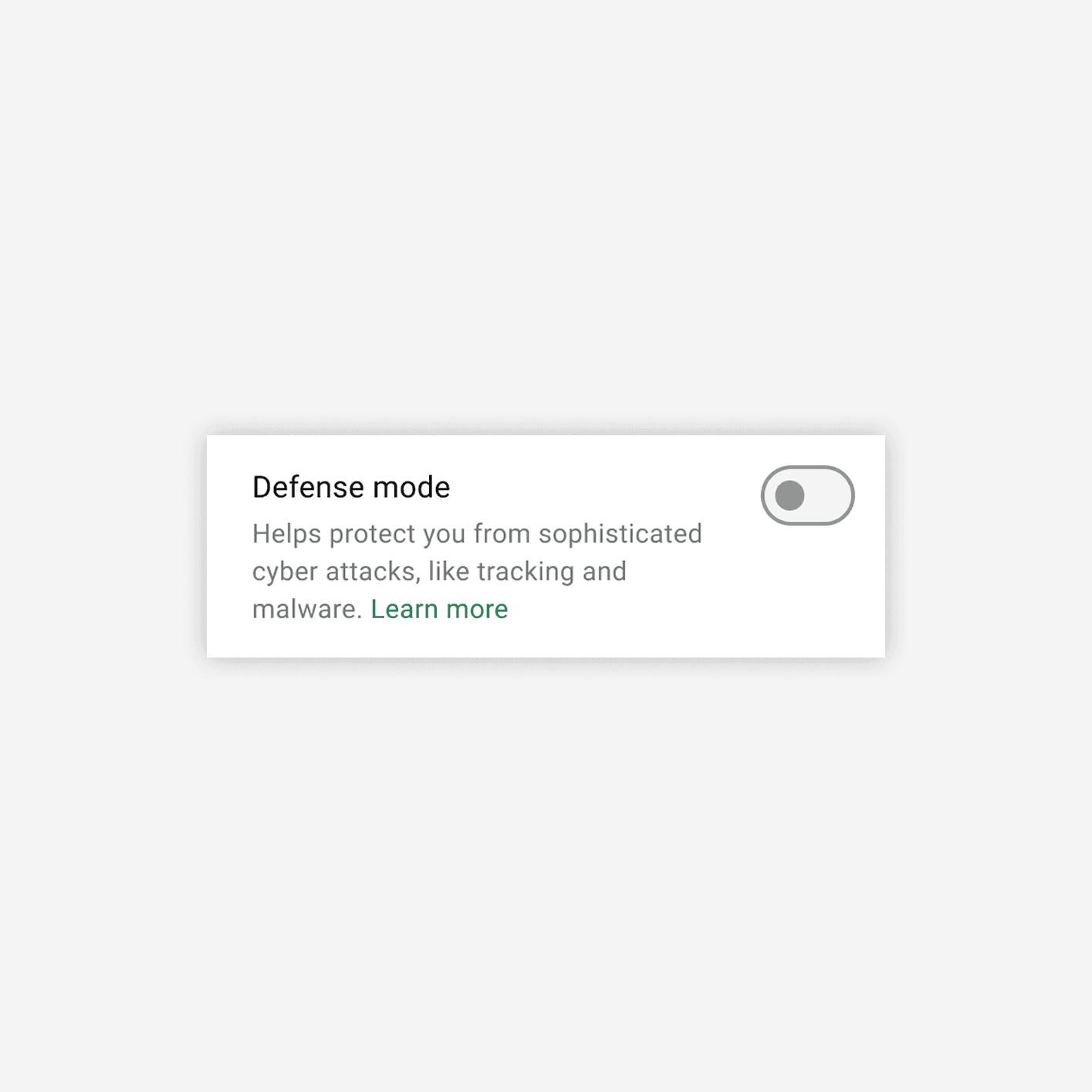
Confusing controls and hidden implications
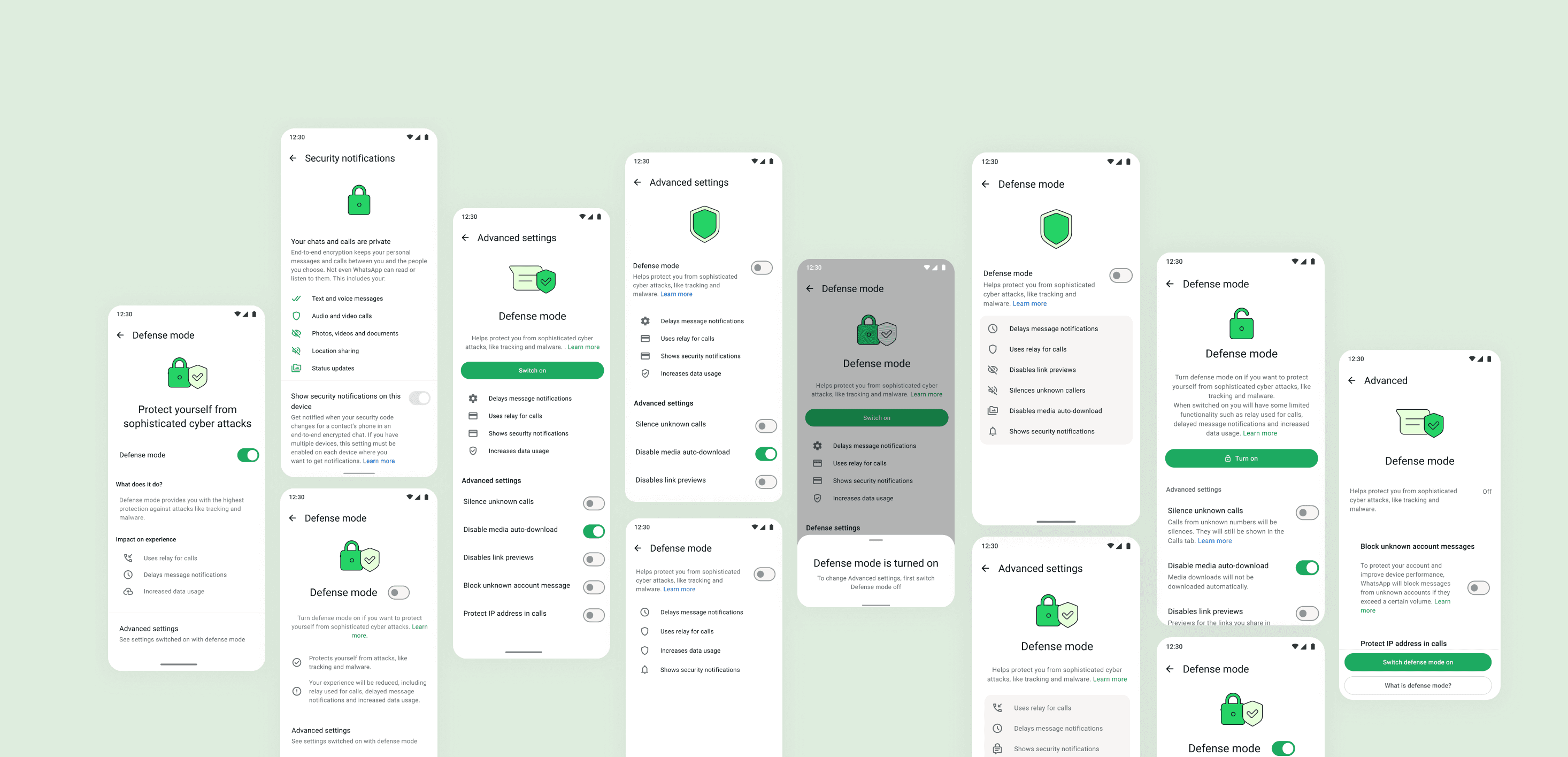
Defense Mode was presented as just another toggle, with no clear indication that it controlled multiple security settings. Key implications were hidden in pop-ups that could be easily missed, creating high cognitive load and low confidence.
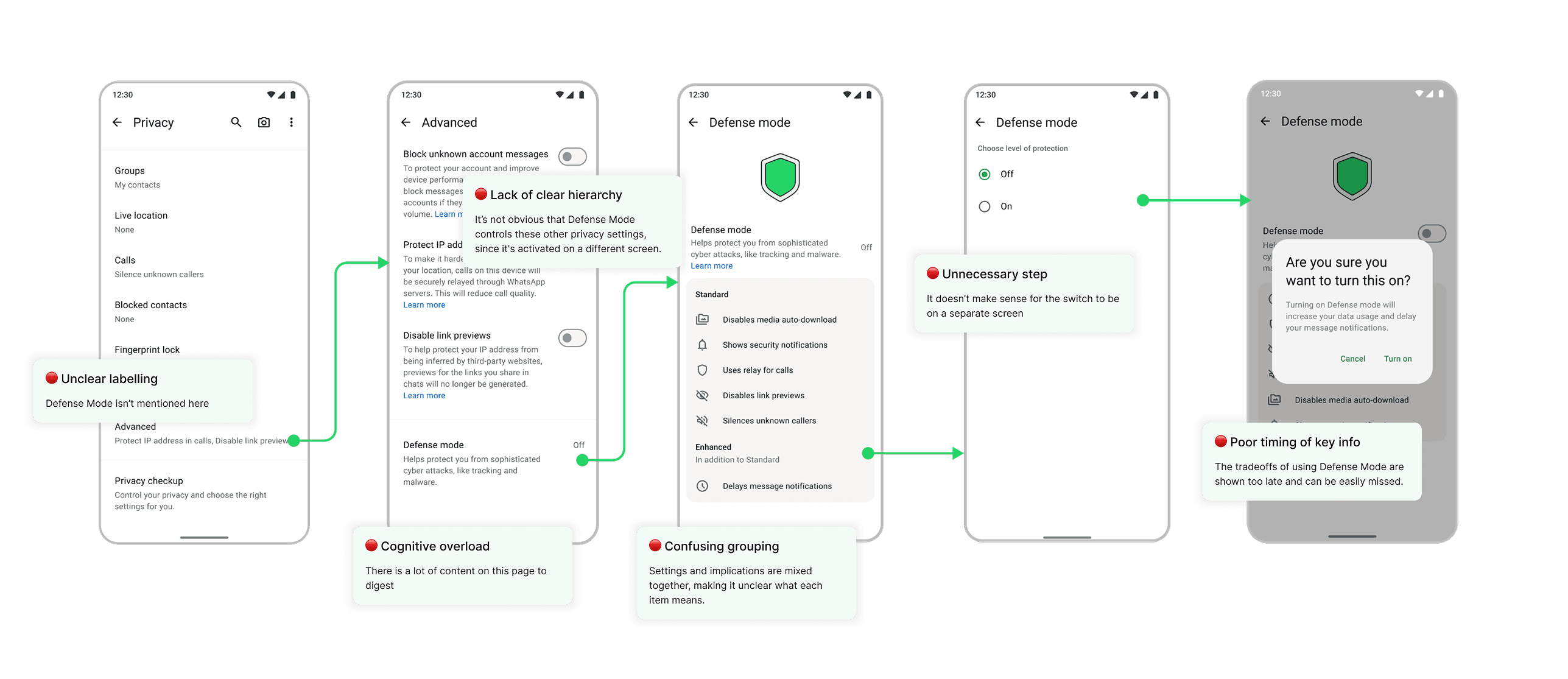
How might we...
Clearly show which settings Defense Mode controls
How might we..
Help users understand what Defense Mode is and why it matters
How might we...
Explain the tradeoffs of using Defense Mode
The New Experience:
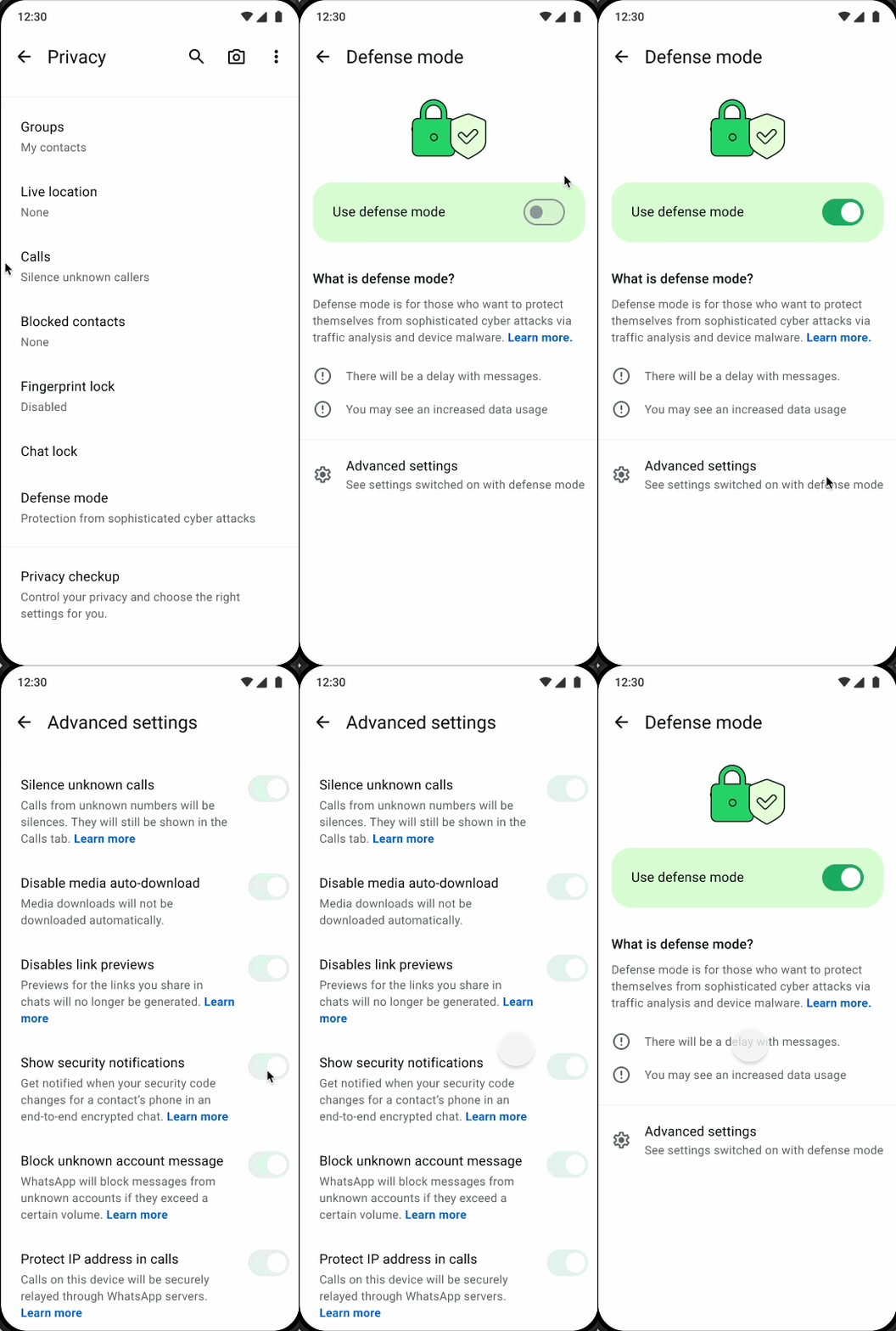
One switch with complete clarity
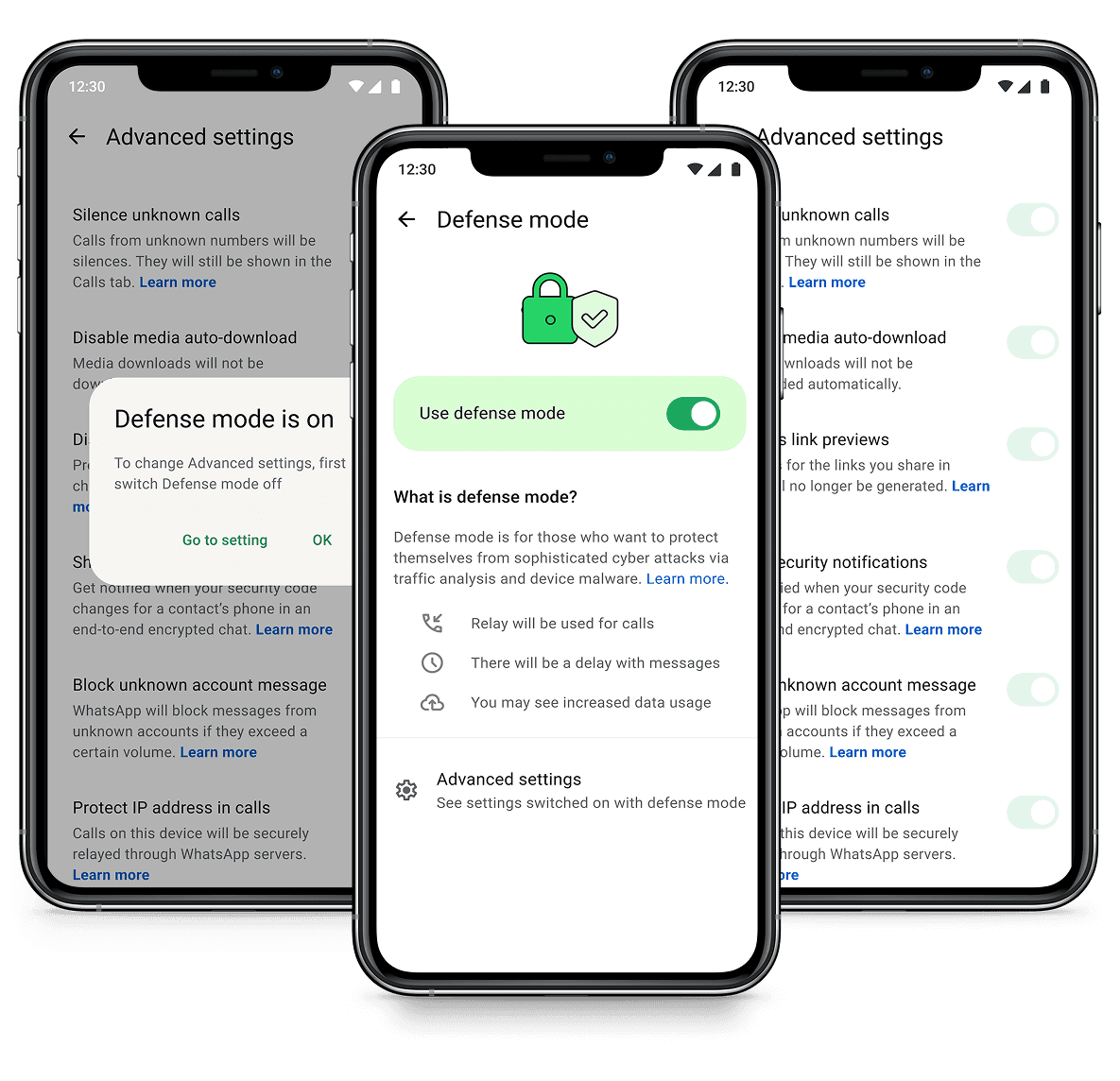
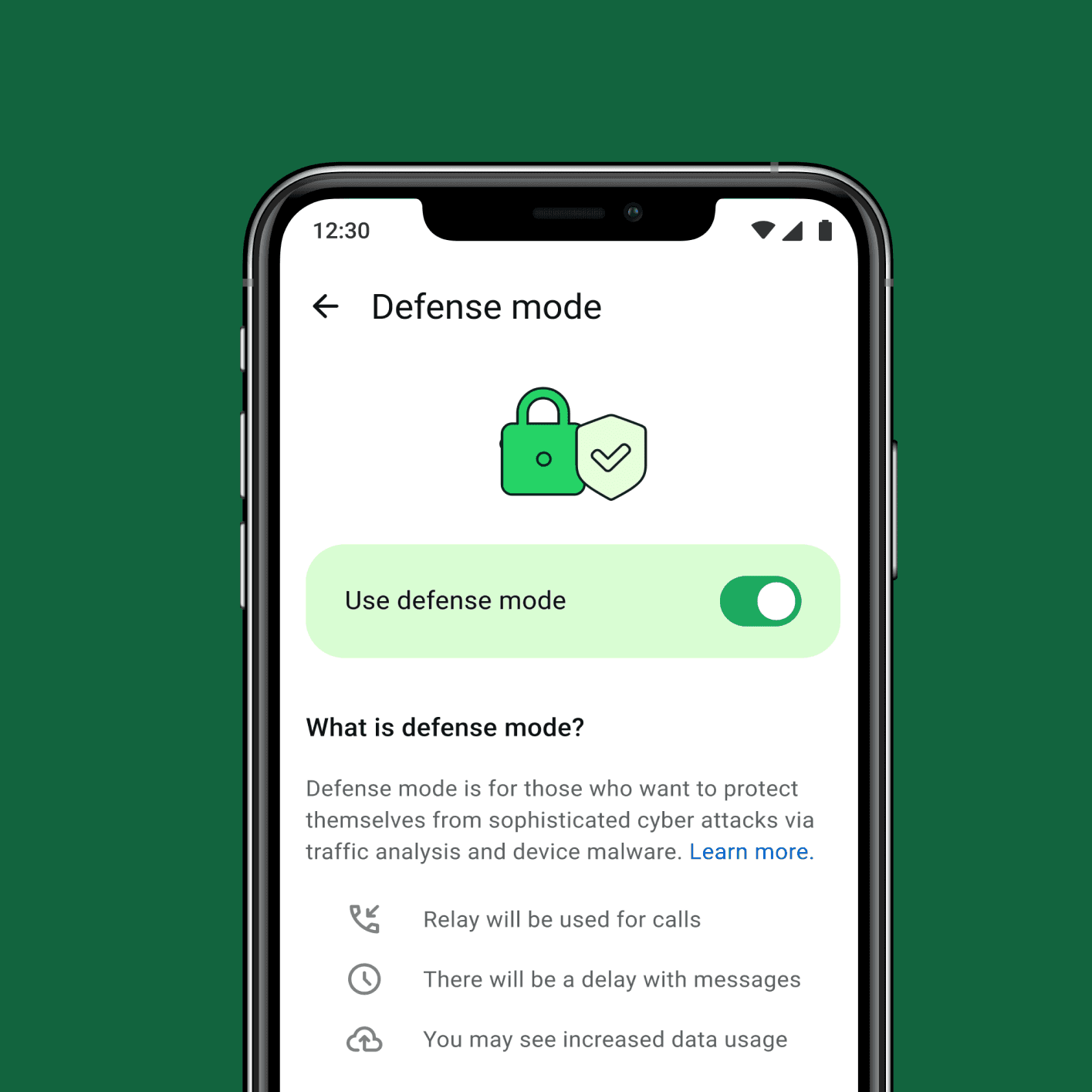
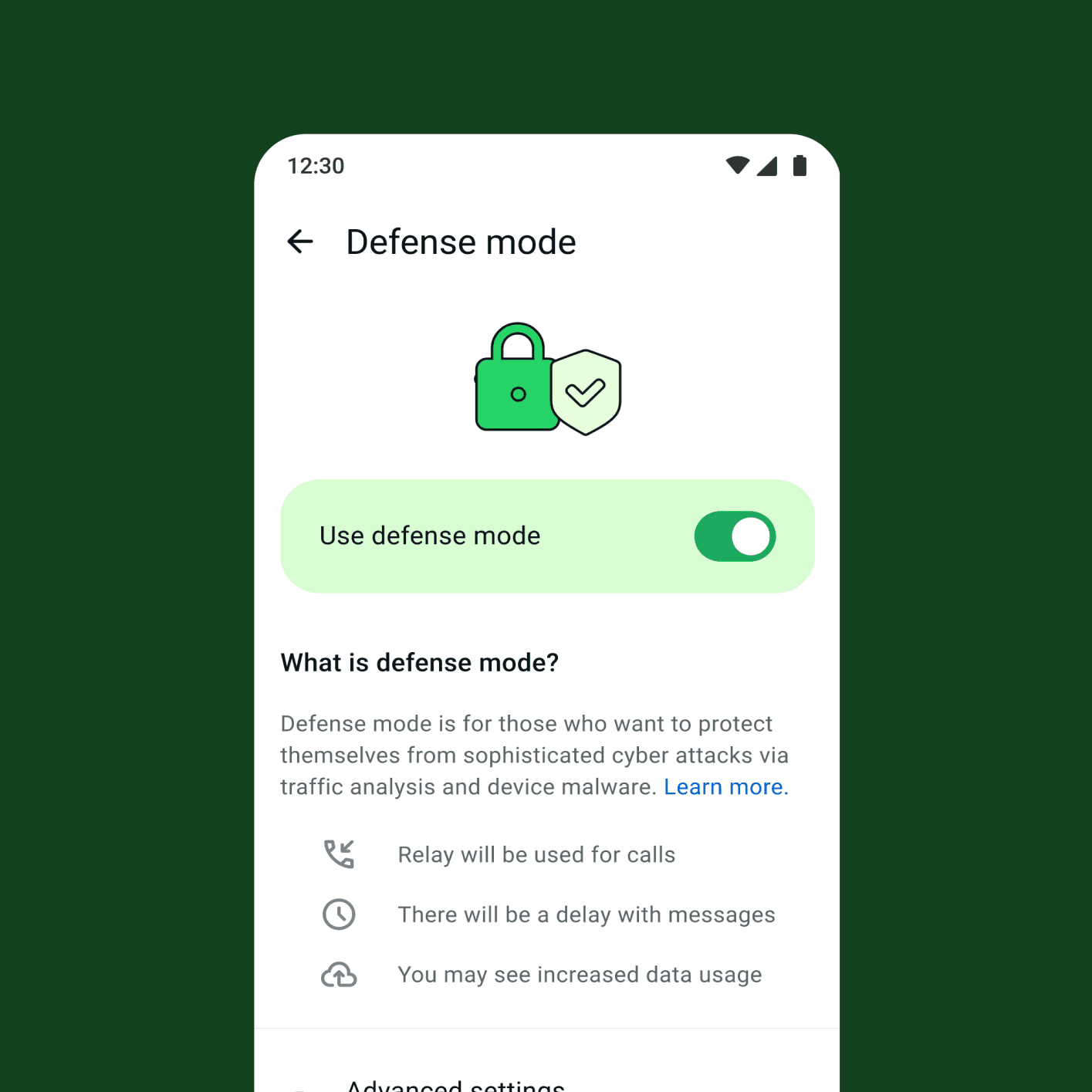
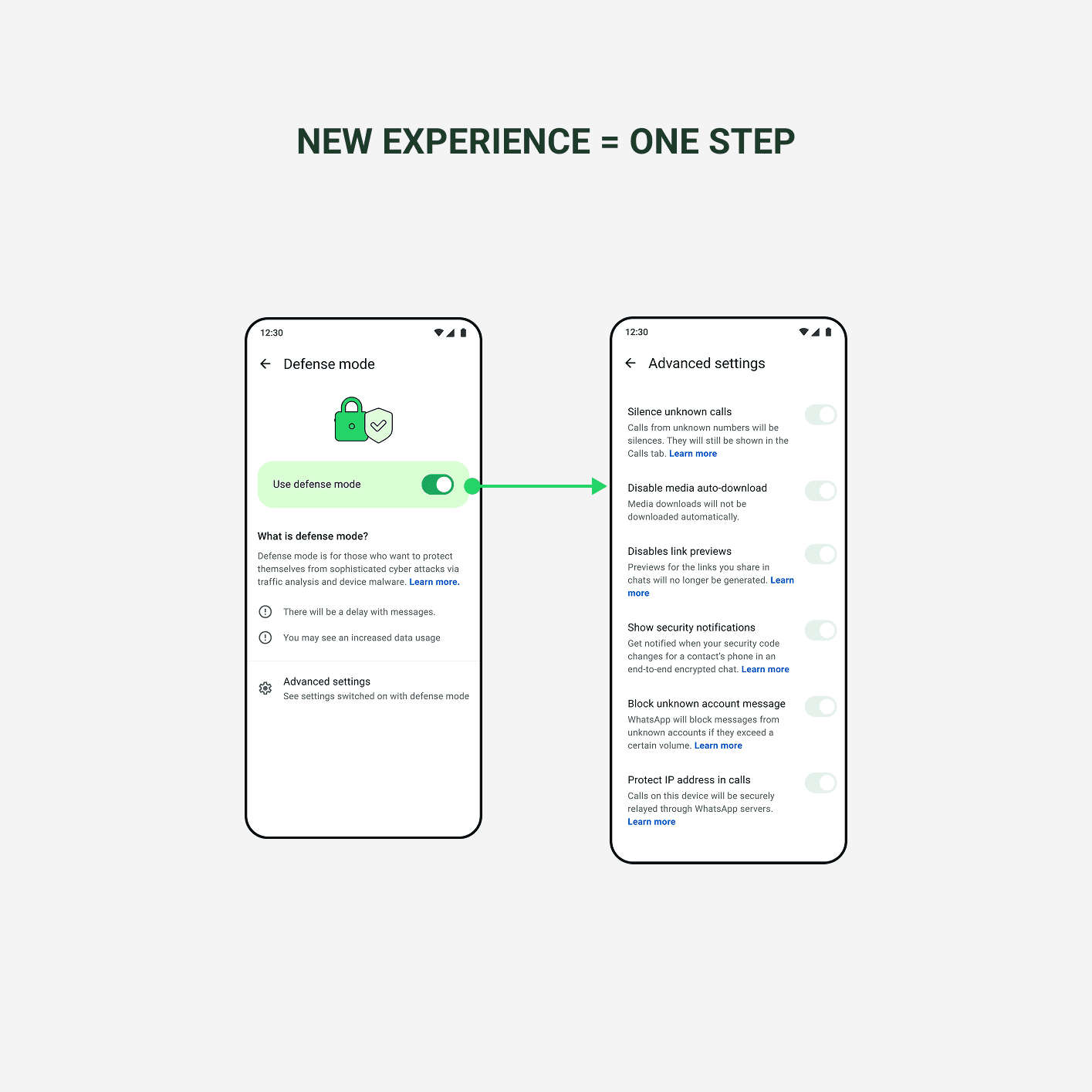
I reframed Defense Mode as a single, global control that clearly communicates what it does, what changes when it’s enabled, and how it affects the rest of the app.
The result is an experience that reduces confusion, builds trust, and supports informed decision-making for high-risk users
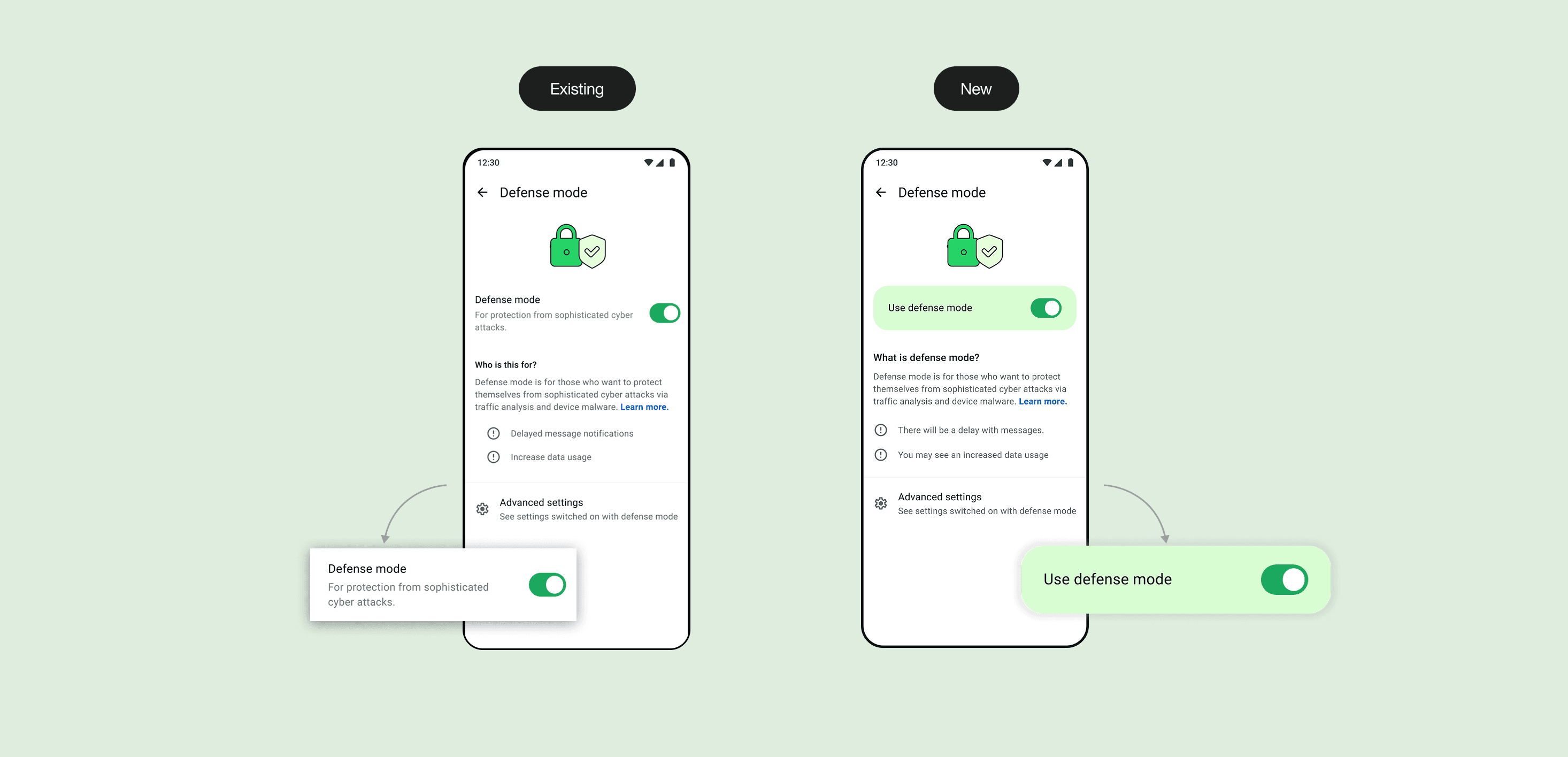
Designing a control that matches the mental model
The Global Switch was essential to simplifying the experience, but no existing components met the need. I worked with the design system team to design a new control that made it visually clear Defense Mode was a master switch, not just another toggle.
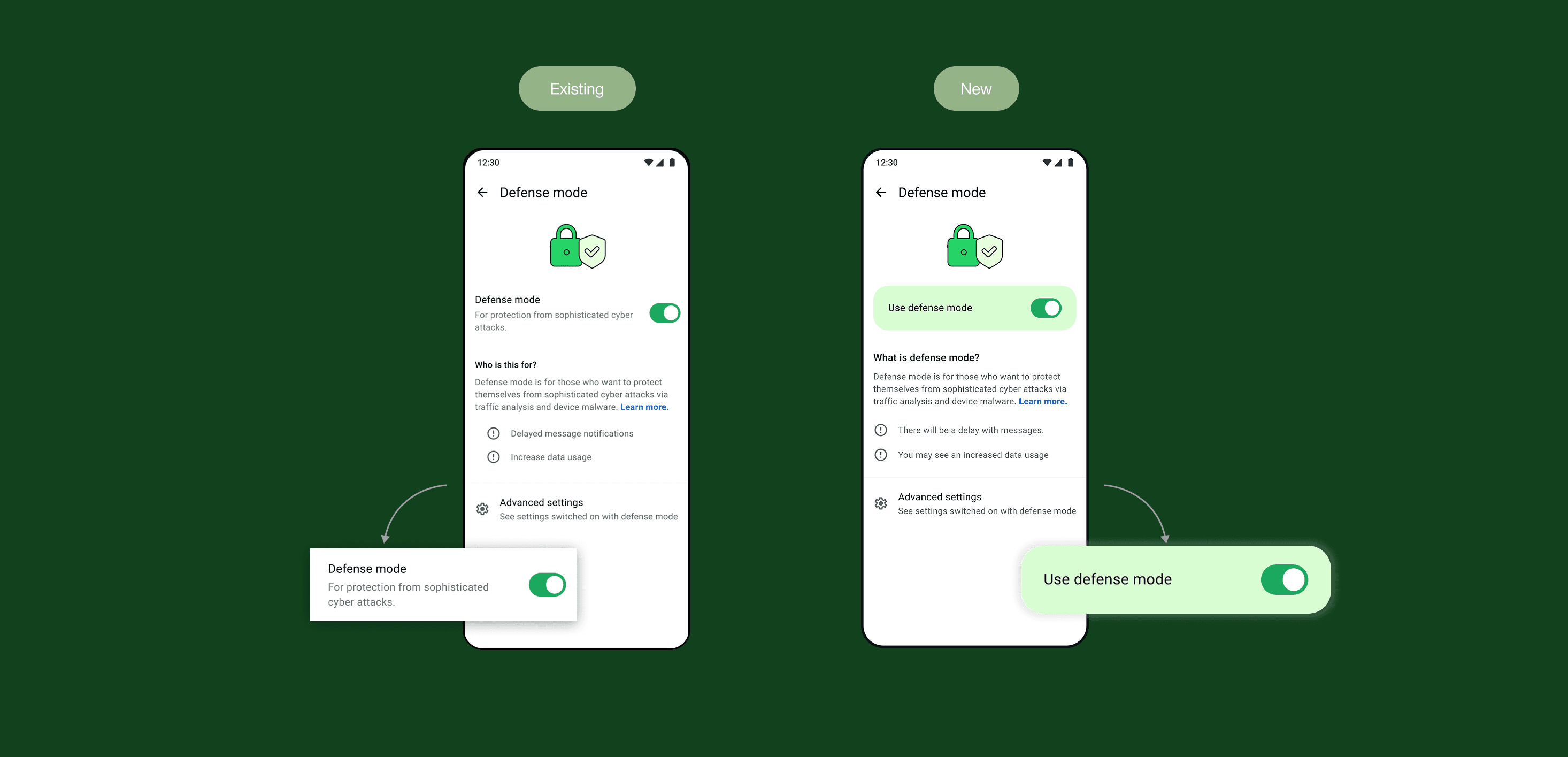
Making the impact of Defense Mode clear
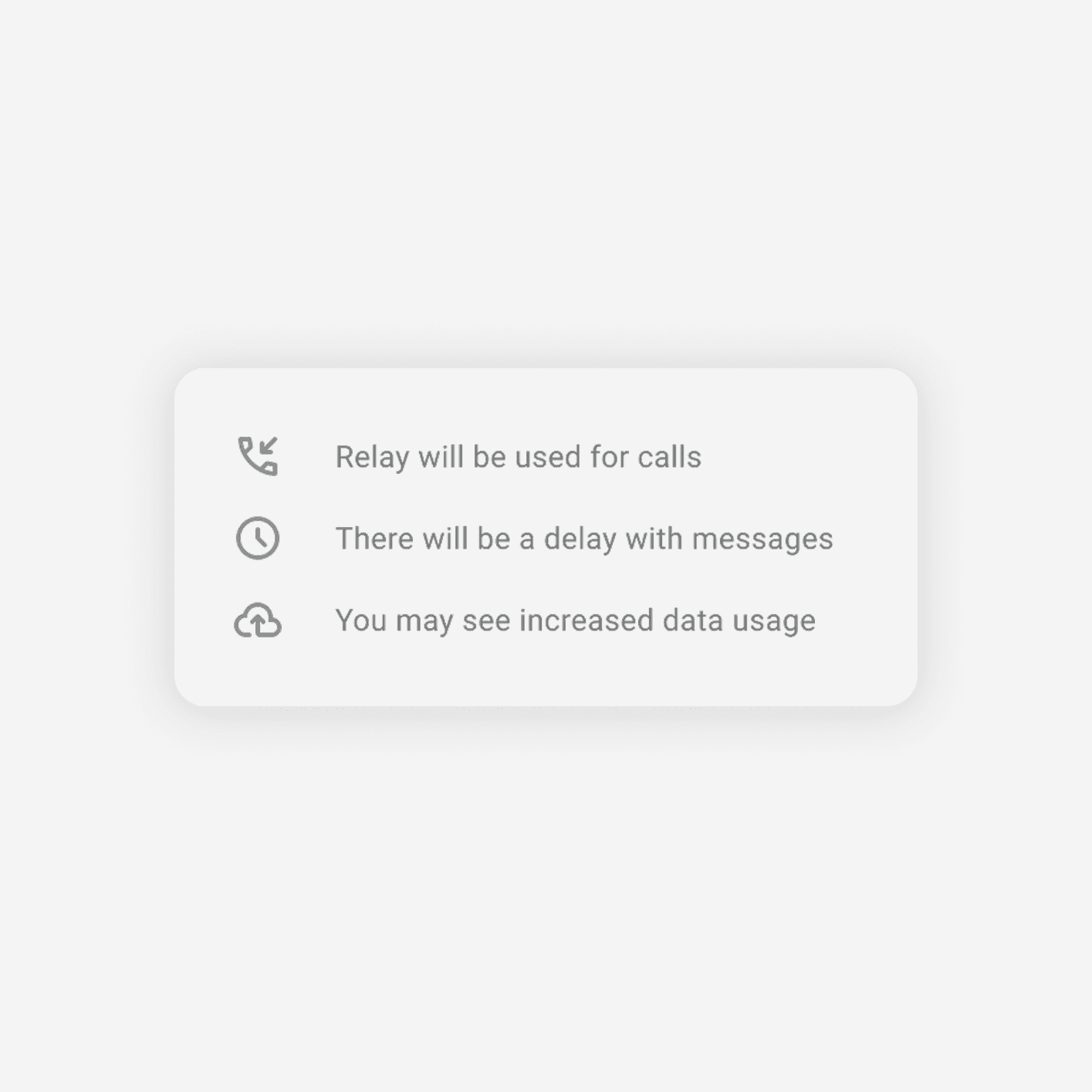
The biggest risk was users turning on Defense Mode without understanding the tradeoffs. I redesigned the interface to show exactly how their experience would change, upfront, not hidden in a dismissible pop-up. This built the trust needed to actually use the feature.
Reducing cognitive load in a high-stakes decision
The original flow had multiple steps, dense content, and unclear relationships, adding mental burden when users needed clarity most. I simplified the experience using progressive disclosure and making the master-detail relationship visually obvious.

Handling conflicts across the app
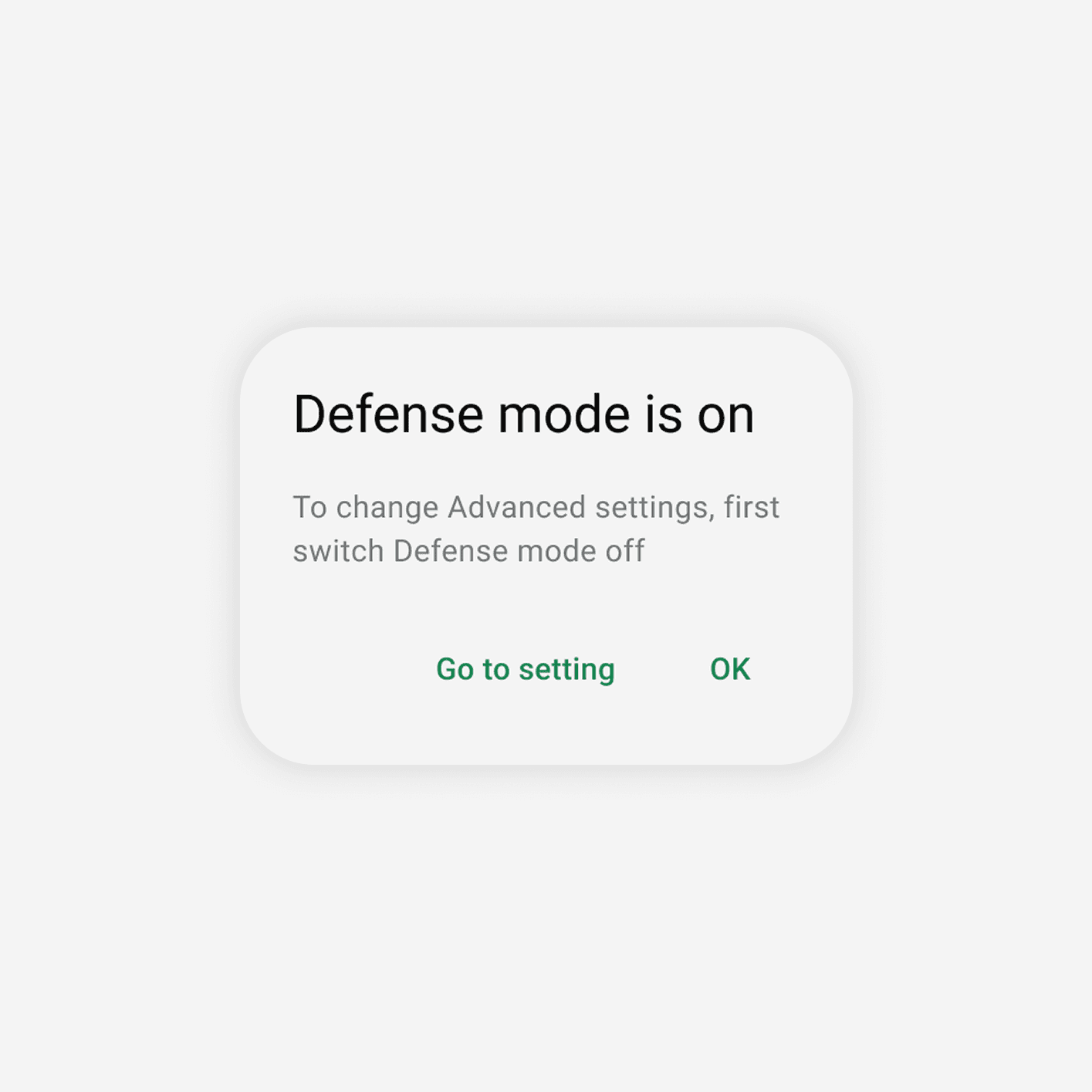
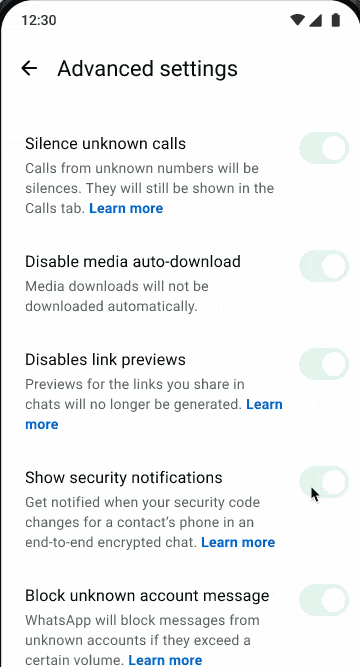
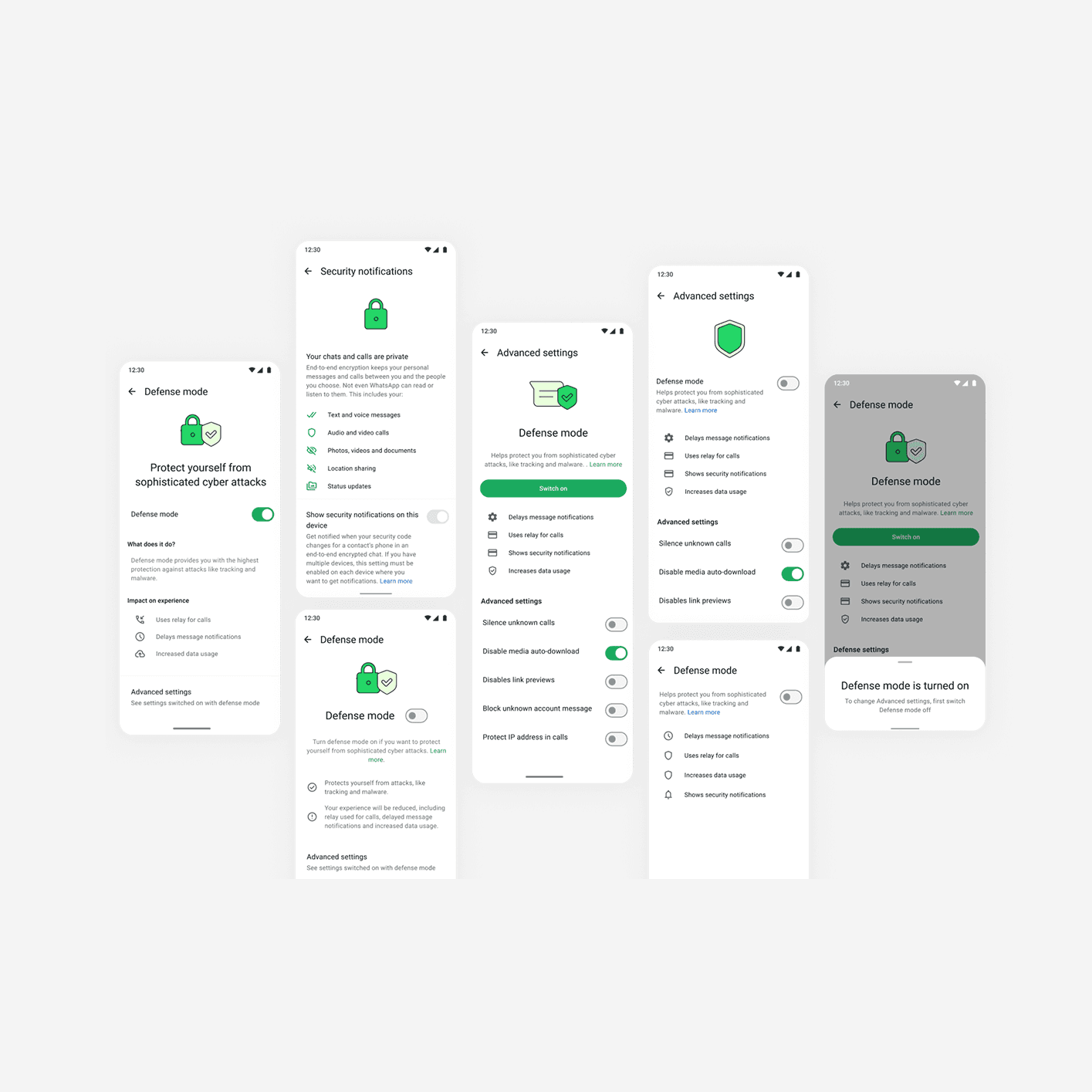
Defense Mode settings could also be accessed elsewhere in WhatsApp. When Defense Mode was on, those settings became inactive. I designed clear messaging that explained why settings were locked and guided users to Defense Mode to make changes, preventing confusion and maintaining trust.

FINAL DESIGN
Simplifying Security for Users
High-risk users don't have room for confusion when their safety depends on getting security settings right. This redesign turned a complex, unclear feature into something people could actually understand and trust enough to use.
The Final Solution
Guided clarity
Introduced Defense Mode in a clear, step-by-step way, helping users first grasp its purpose before diving deeper into how it protects them.
Unified control
Brought all advanced privacy settings together under one powerful, high-contrast toggle, making security simple, visible, and easy to activate.
Transparent communication:
Boldly highlighted who benefits from Defense Mode, what it does, and the important tradeoffs, helping users to make informed decisions.
User-first language:
Crafted clear, approachable messaging that builds trust and removes confusion, turning a complex security feature into one users understand